Add a photo studio background to your portrait photo
Try a portrait inside a photography studio with visible softboxes, a backdrop roll and open floor space. Work on a still image locally in your browser.
Start editing ↗Choose your frame.
Open a portrait or capture one with your camera. Processing runs in this browser after you choose a photo.
Choose a local image or take a camera photo.
No photo selected.
PNG keeps transparency on the Transparent preset. JPEG always has an opaque background. Downloads begin only when you press a button.
Pick a background
Change the scene without opening your portrait again.
Interiors
Outdoors
Creative
Colors and effects
What this edit does
Try a portrait inside a photography studio with visible softboxes, a backdrop roll and open floor space. This preset shows the studio environment around the person. If you want only a plain backdrop, the white, gray, black and blue options are available in the same picker.
When to use this look
Create a photography-themed profile, a behind-the-scenes style portrait or an introduction image for a creative project.
Example: before and after
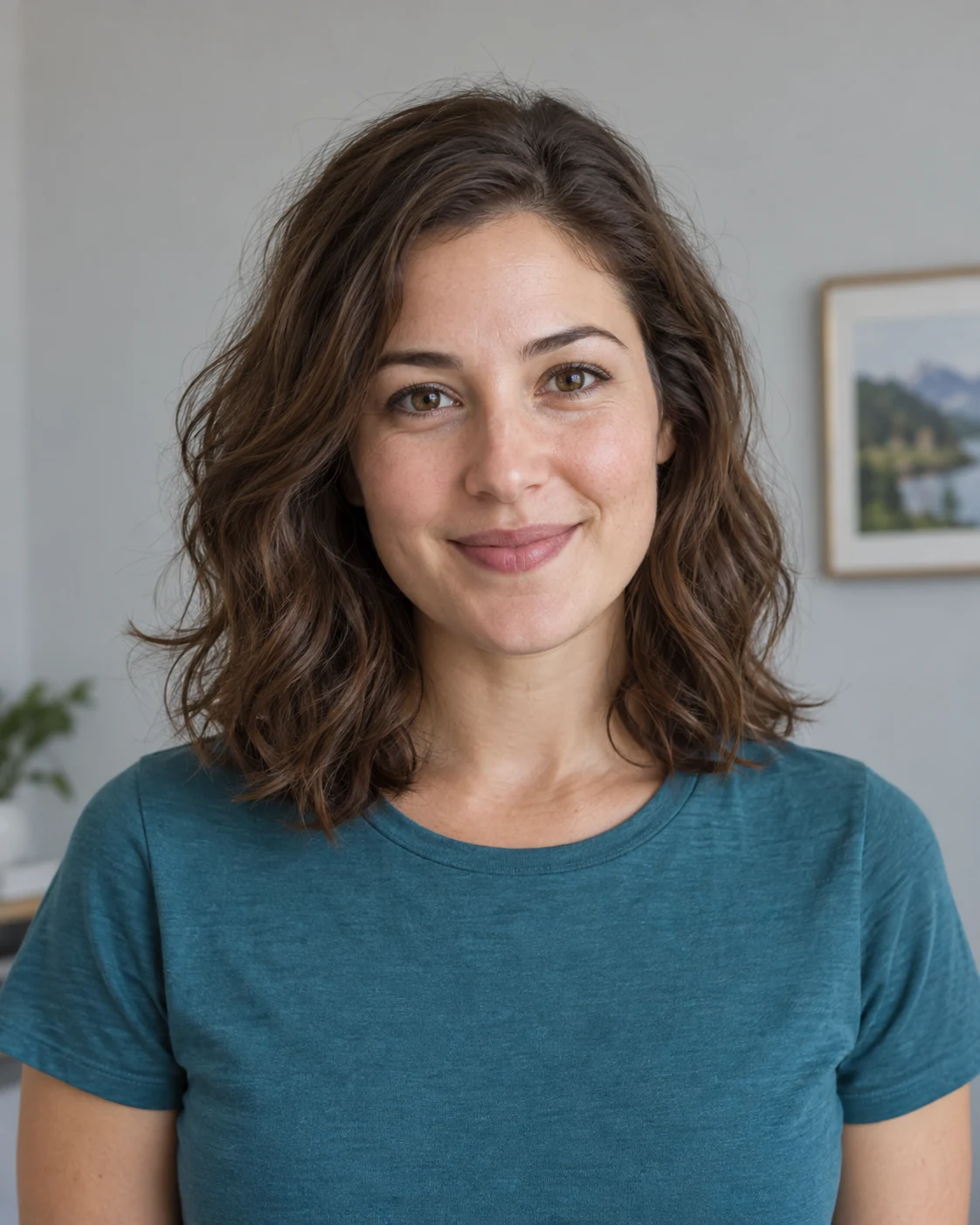 Before · sample portrait
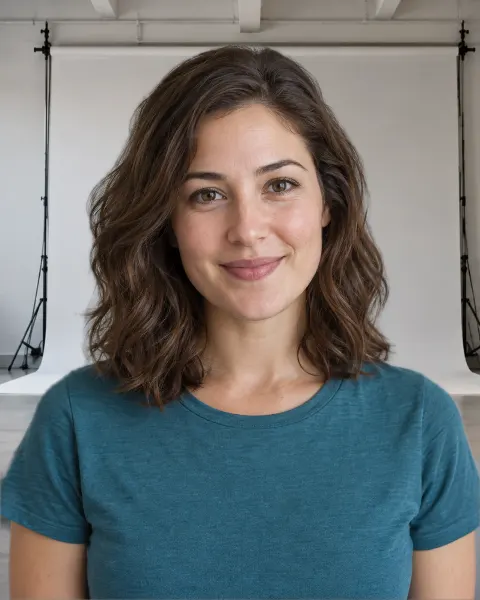 After · Photo studio background
Illustrative sample portrait generated for this guide; the after image uses this editor's browser segmentation and scene assets.
A portrait taken against an ordinary room becomes a composite with photo studio behind the person. The face and clothing remain from the original photo.
Tips for a believable result
- Leave some lighting equipment visible at the sides so the setting reads as a studio room.
- Start with a well-lit portrait. The pictured softboxes do not add light to your actual face.
The model targets the prominent person in a still image. Fine hair, motion blur, crowds, or similar foreground and background colors can reduce cutout quality.
Four steps
- Open or capture a portrait
Use a local image file, or start the camera and capture a still photo after the optional timer.
- Let the browser find the person
The on-device model separates the prominent person from the original background once per photo.
- Preview photo studio
Inspect the result, move or fit a scene if needed, and adjust edge softness. Switch presets without repeating the cutout.
- Save the result
Choose PNG for transparency or JPEG for an opaque image. Nothing downloads automatically.
Common questions
How is Photo studio different from a white background?
Photo studio is an image of a room with equipment, floor space and a backdrop. White is a simple solid-color background.
Does this simulate professional studio lighting?
No. It changes the scene behind your portrait. Your original facial lighting and shadows remain.
Does this work with a webcam photo?
Yes. Start the camera, choose a timer if you like, and capture a still image. Camera permission is requested only when you press Use camera.
Does changing backgrounds upload my photo?
No. Portrait segmentation and composition run in your browser. The model and preset images are static files downloaded from this site.