Add a mountain background to your portrait photo
Add an alpine view with distant peaks, green slopes and open sky behind your portrait. Work on a still image locally in your browser.
Start editing ↗Choose your frame.
Open a portrait or capture one with your camera. Processing runs in this browser after you choose a photo.
Choose a local image or take a camera photo.
No photo selected.
PNG keeps transparency on the Transparent preset. JPEG always has an opaque background. Downloads begin only when you press a button.
Pick a background
Change the scene without opening your portrait again.
Interiors
Outdoors
Creative
Colors and effects
What this edit does
Add an alpine view with distant peaks, green slopes and open sky behind your portrait. The mountain background brings a broad outdoor setting into the frame without changing the person. Move the scenery to keep the peaks visible beside your head and shoulders.
When to use this look
Try an adventure-themed personal profile, a hiking-club introduction or a playful travel-inspired image. This is a composite of your portrait and a prepared landscape.
Example: before and after
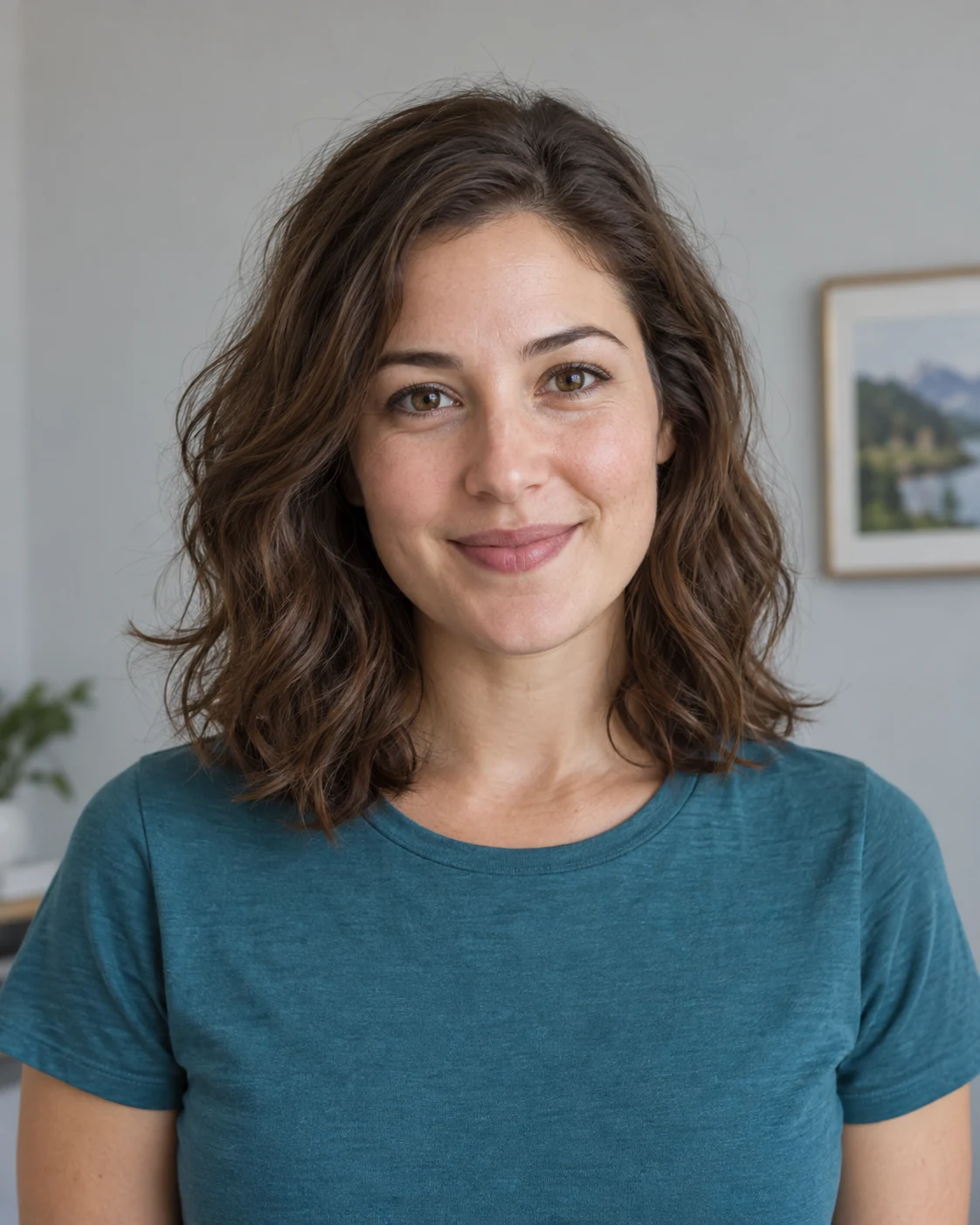 Before · sample portrait
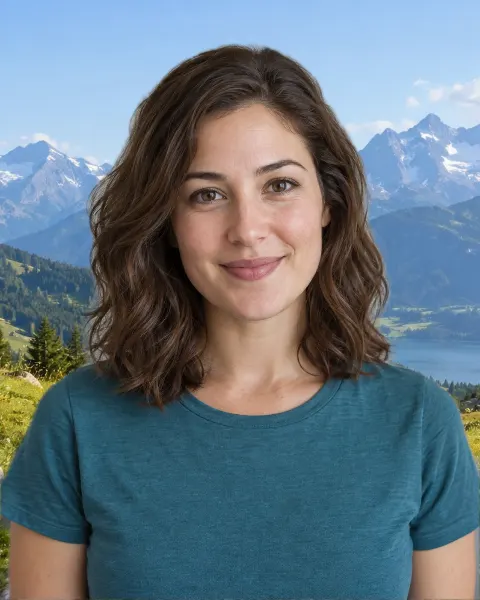 After · Mountains background
Illustrative sample portrait generated for this guide; the after image uses this editor's browser segmentation and scene assets.
A portrait taken against an ordinary room becomes a composite with mountains behind the person. The face and clothing remain from the original photo.
Tips for a believable result
- Choose a portrait with clear daylight rather than strong indoor color casts.
- Leave some sky and distant mountains visible around the shoulders so the landscape does not become an indistinct close crop.
The model targets the prominent person in a still image. Fine hair, motion blur, crowds, or similar foreground and background colors can reduce cutout quality.
Four steps
- Open or capture a portrait
Use a local image file, or start the camera and capture a still photo after the optional timer.
- Let the browser find the person
The on-device model separates the prominent person from the original background once per photo.
- Preview mountains
Inspect the result, move or fit a scene if needed, and adjust edge softness. Switch presets without repeating the cutout.
- Save the result
Choose PNG for transparency or JPEG for an opaque image. Nothing downloads automatically.
Common questions
Can I choose which mountain peak appears behind me?
You can reposition and crop the prepared mountain scene. To use a different landscape, choose a custom background from your device.
Will this add outdoor light or wind to my portrait?
No. Your original lighting, hair and clothing stay the same. The editor replaces the scenery behind the person.
Does this work with a webcam photo?
Yes. Start the camera, choose a timer if you like, and capture a still image. Camera permission is requested only when you press Use camera.
Does changing backgrounds upload my photo?
No. Portrait segmentation and composition run in your browser. The model and preset images are static files downloaded from this site.