Add a forest background to your portrait photo
Move the setting of your portrait to a green forest trail with tall trees and filtered daylight. Work on a still image locally in your browser.
Start editing ↗Choose your frame.
Open a portrait or capture one with your camera. Processing runs in this browser after you choose a photo.
Choose a local image or take a camera photo.
No photo selected.
PNG keeps transparency on the Transparent preset. JPEG always has an opaque background. Downloads begin only when you press a button.
Pick a background
Change the scene without opening your portrait again.
Interiors
Outdoors
Creative
Colors and effects
What this edit does
Move the setting of your portrait to a green forest trail with tall trees and filtered daylight. The woodland scene creates depth behind the person and brings a natural atmosphere to an indoor photo. Compare the result with the original before choosing your final crop.
When to use this look
Create an outdoors-themed profile, a nature-club introduction or a personal image with a peaceful woodland setting. Garden and mountain scenes are also available in the picker.
Example: before and after
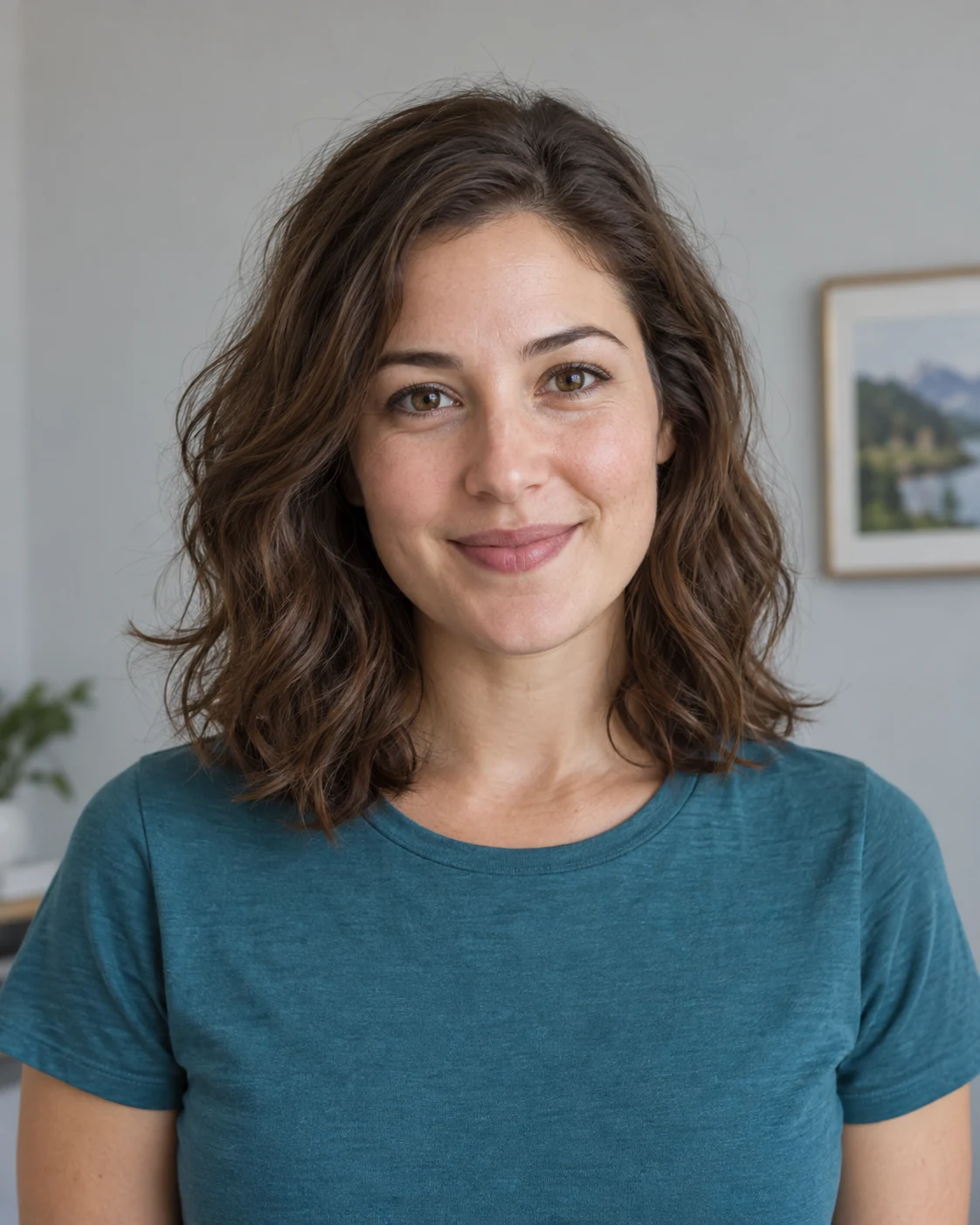 Before · sample portrait
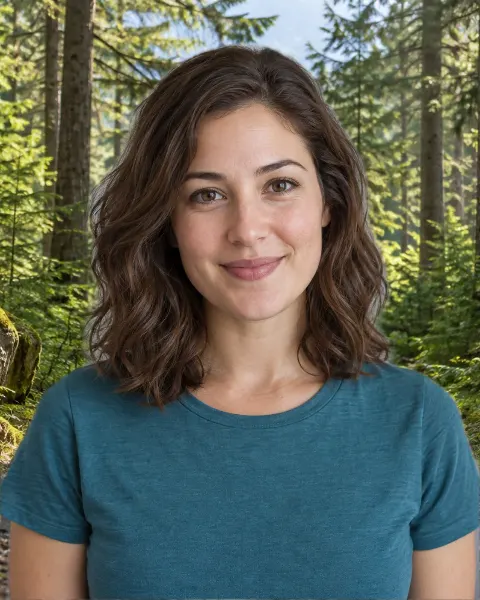 After · Forest background
Illustrative sample portrait generated for this guide; the after image uses this editor's browser segmentation and scene assets.
A portrait taken against an ordinary room becomes a composite with forest behind the person. The face and clothing remain from the original photo.
Tips for a believable result
- Keep a tree trunk from lining up directly with the head by adjusting the background position.
- Check dark hair and green clothing against the foliage, where similar colors can make edge problems harder to see.
The model targets the prominent person in a still image. Fine hair, motion blur, crowds, or similar foreground and background colors can reduce cutout quality.
Four steps
- Open or capture a portrait
Use a local image file, or start the camera and capture a still photo after the optional timer.
- Let the browser find the person
The on-device model separates the prominent person from the original background once per photo.
- Preview forest
Inspect the result, move or fit a scene if needed, and adjust edge softness. Switch presets without repeating the cutout.
- Save the result
Choose PNG for transparency or JPEG for an opaque image. Nothing downloads automatically.
Common questions
Will the forest background change my clothing or pose?
No. The editor keeps the foreground person from the original photo and places the forest behind them.
Can I upload a photo of a particular forest?
Yes. Use a custom local background image if you want a different woodland setting.
Does this work with a webcam photo?
Yes. Start the camera, choose a timer if you like, and capture a still image. Camera permission is requested only when you press Use camera.
Does changing backgrounds upload my photo?
No. Portrait segmentation and composition run in your browser. The model and preset images are static files downloaded from this site.